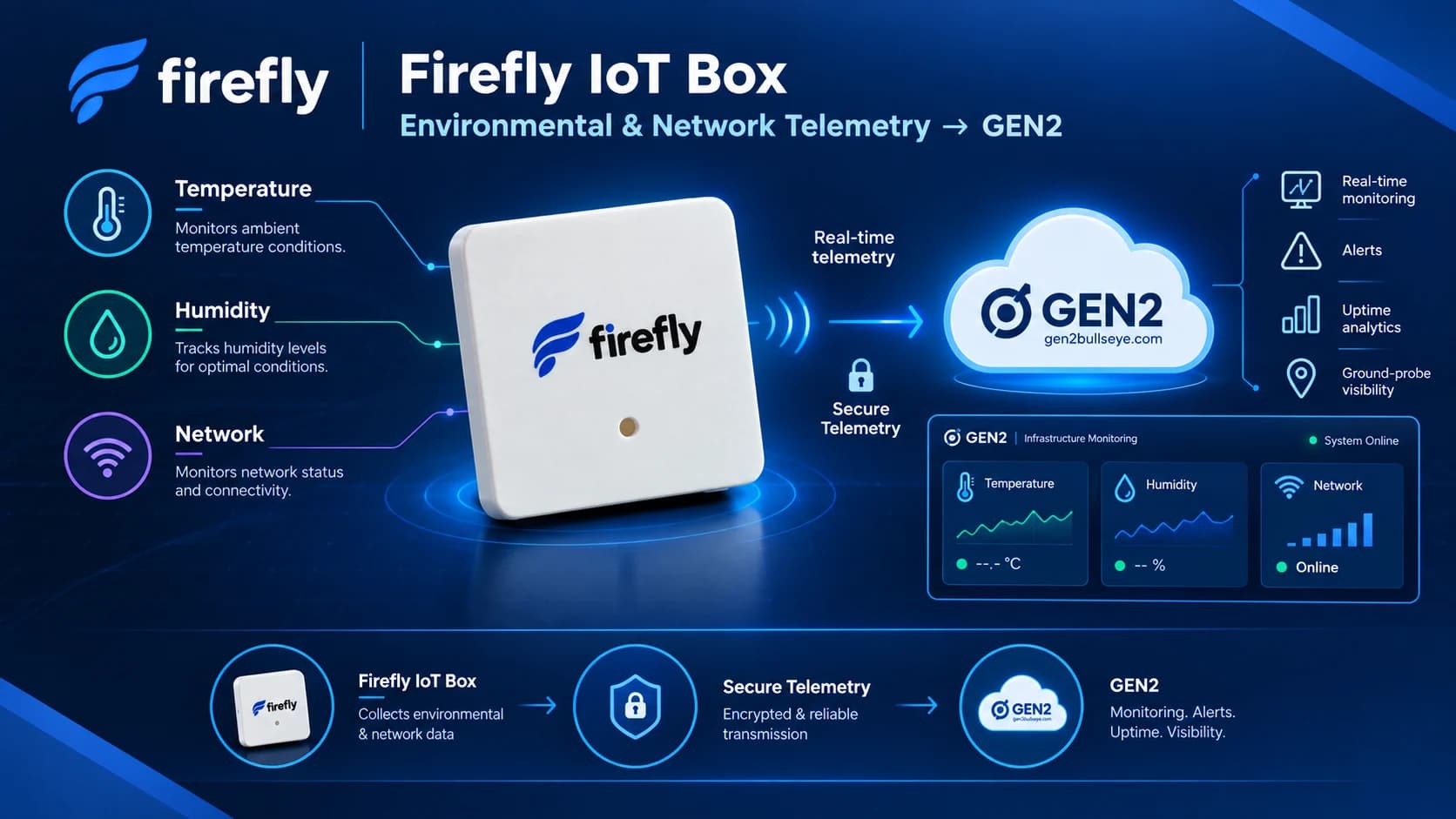
Know the room.
Know the network.
The Firefly IoT Box sits wherever your equipment lives — a server room, a store, a warehouse — and reads its temperature and humidity while testing the network from the inside. It keeps its own dashboard and history, and reports to GEN2 when you connect it.
- Things it watches — temperature, humidity, network
- 3
- Network targets probed from the room
- 5
- History kept on the device (ESP32)
- 7 days
- Cloud services it needs to work
- 0
Things it watches — temperature, humidity, network
Network targets probed from the room
History kept on the device (ESP32)
Cloud services it needs to work

Small enough to forget about. Built so you can.
A palm-sized box with a sensor, a Wi-Fi radio and a microcontroller that runs everything itself. Plug it in, put it where the equipment is, and it gets on with watching.
ESP32 or ESP8266
One firmware for both chips. The ESP32 keeps a week of history; the ESP8266 keeps 48 hours in its smaller flash.
DHT11 or DHT22 sensor
Chosen in Settings at runtime — no reflash to swap sensors. A sensor fault is reported as a fault, never as a stale reading.
2.4 GHz Wi-Fi
WPA2-Personal, or WPA2-Enterprise (PEAP/MSCHAPv2) for corporate and campus networks. Static addressing if you need it.
Network-health light
A glance at the box tells you how the network is doing — steady when it's fast, blinking when it isn't.
Reset without a laptop
Hold the button for five seconds to wipe it back to setup mode, or do the same from the dashboard.
Three readings that explain most outages
An overheating room, damp air, or a network that has quietly gone slow. The box watches all three from the spot where they happen.
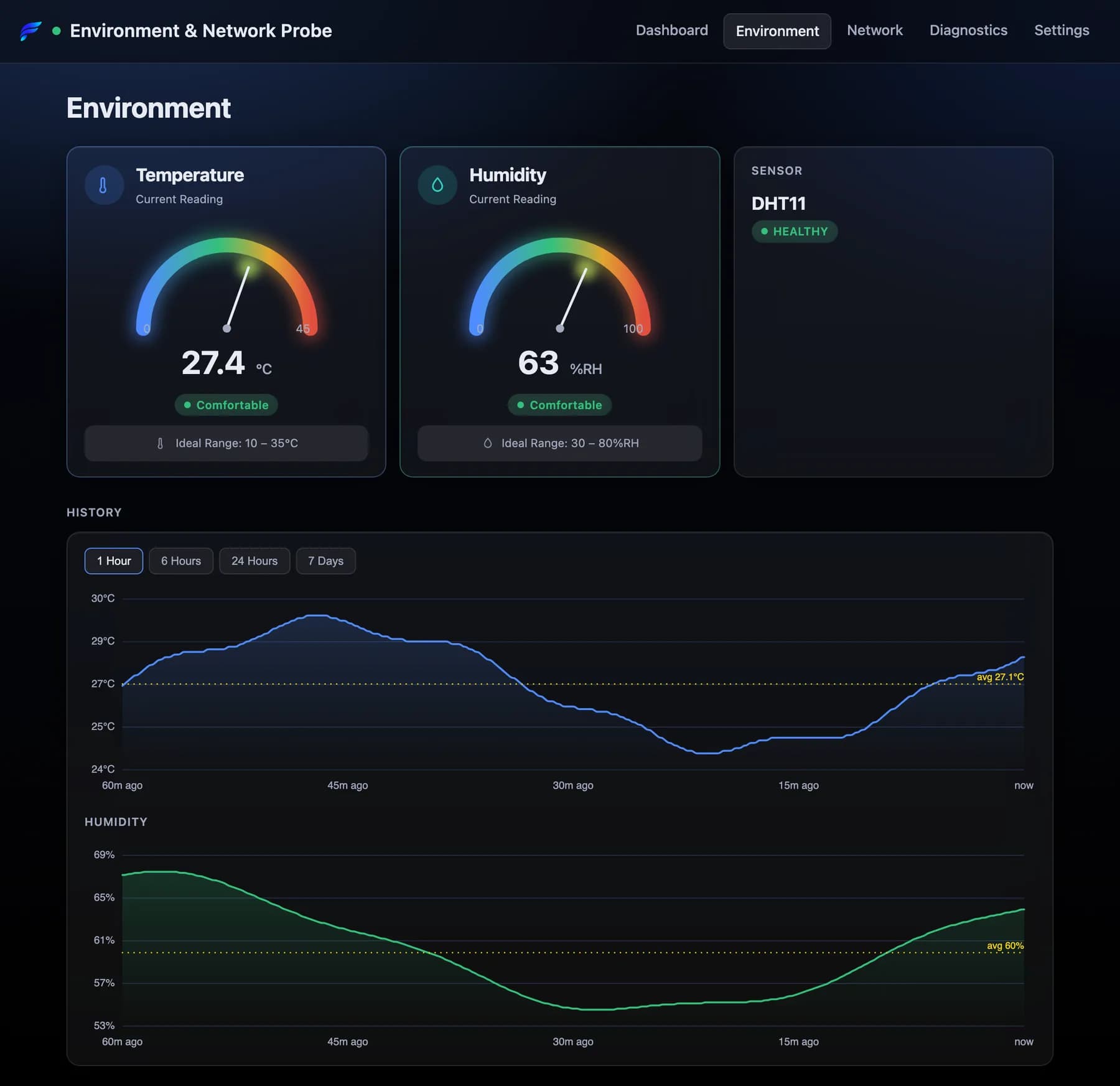
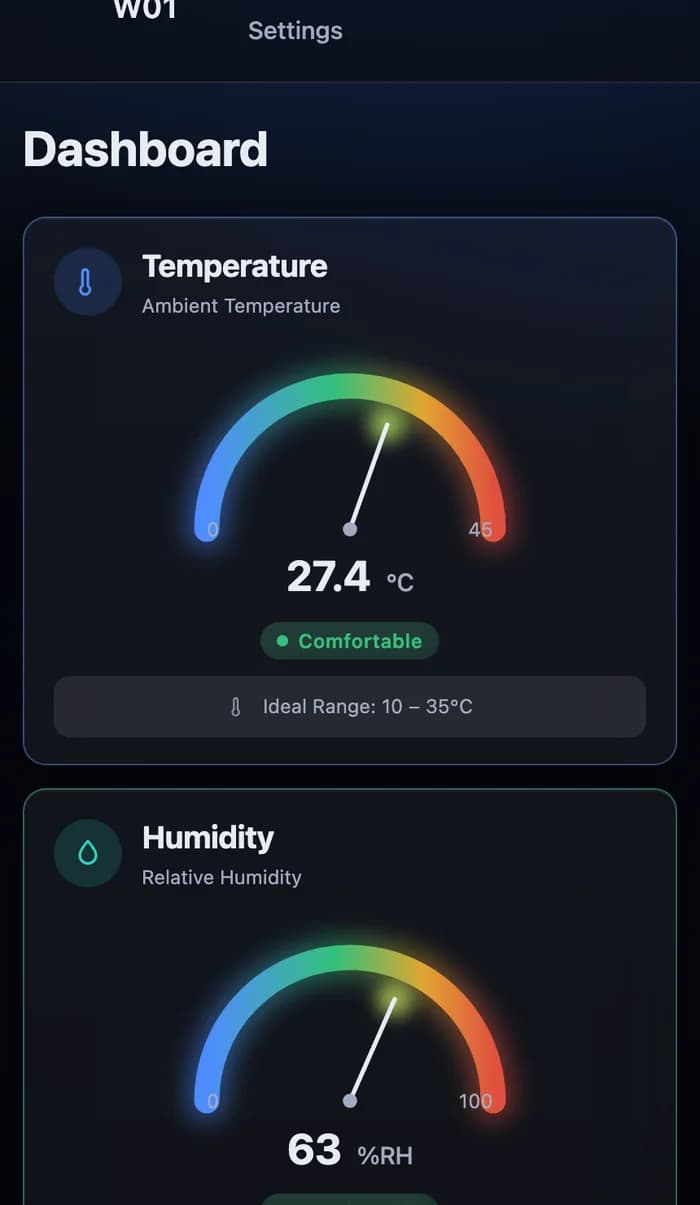
Temperature
Ambient temperature, read every 10 seconds by default and flagged against your own high and low thresholds.
Humidity
Relative humidity from the same sensor, so condensation risk and dry-air static show up next to the temperature that causes them.
Network
Reachability, latency and packet loss to your gateway, two addresses, a DNS name and a web endpoint — tested from the room.
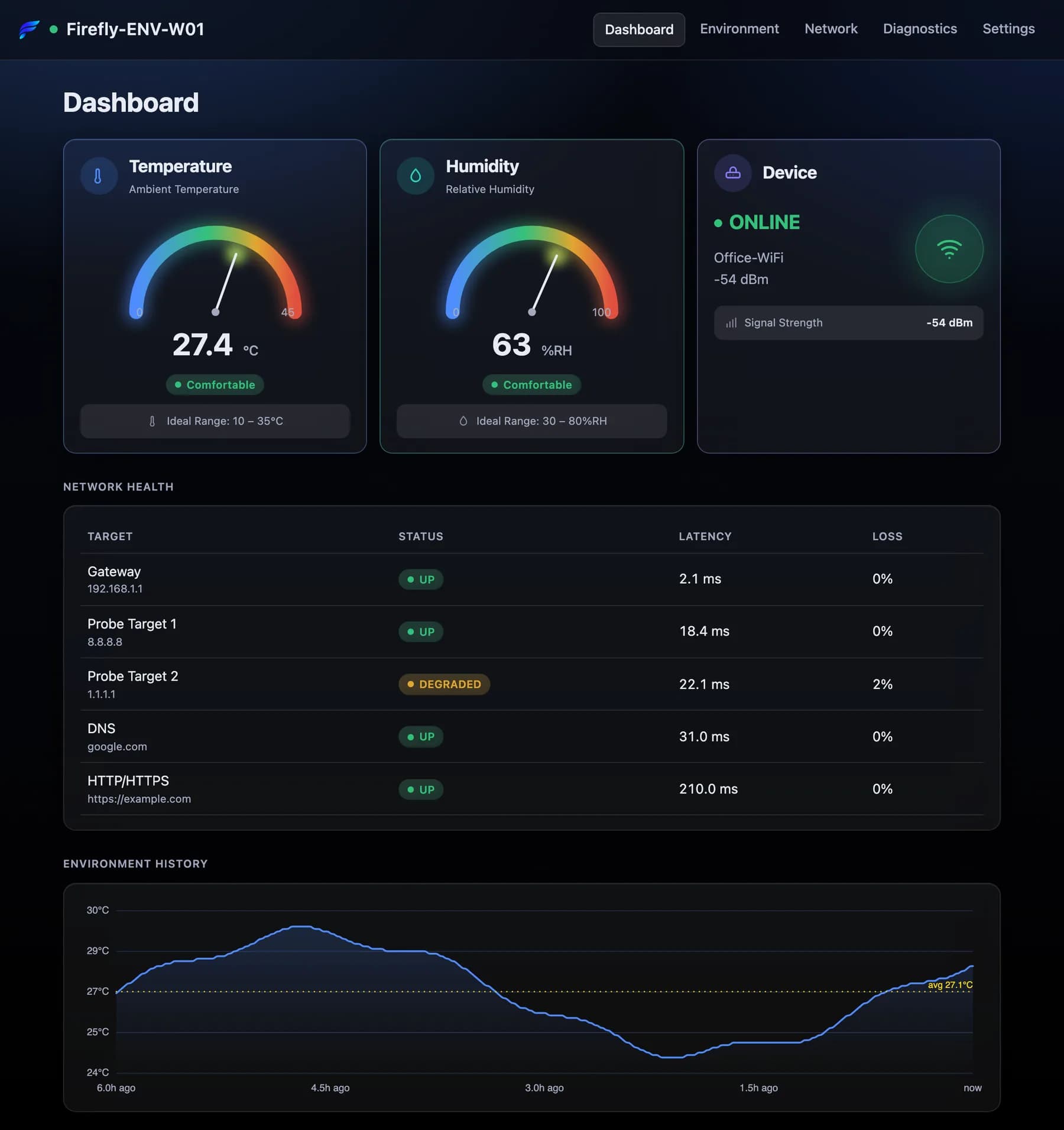
The network, tested from where it's used
A monitor in the cloud tells you the internet can see your site. The box tells you whether this room can see the internet — every 30 seconds by default.
Gateway
Your router — found automatically from DHCP, or set by hand.
Two IP targets
8.8.8.8 and 1.1.1.1 out of the box; any addresses you choose.
DNS
Resolves a domain, so a name-server failure isn't mistaken for an outage.
HTTP / HTTPS
Fetches a real URL and reports the status code it got back.
Read it from across the room
The light pings 8.8.8.8 every 10 seconds. A single slow ping can't change it — only ten in a row can — and it goes back to steady the moment things recover.
- Latency 59 ms or lessSteady on
- 60–90 ms, 10 pings in a row3 s on · 1 s off
- Over 90 ms or lost, 10 in a row0.5 s on · 0.5 s off
- Wi-Fi not connected1 s on · 5 s off
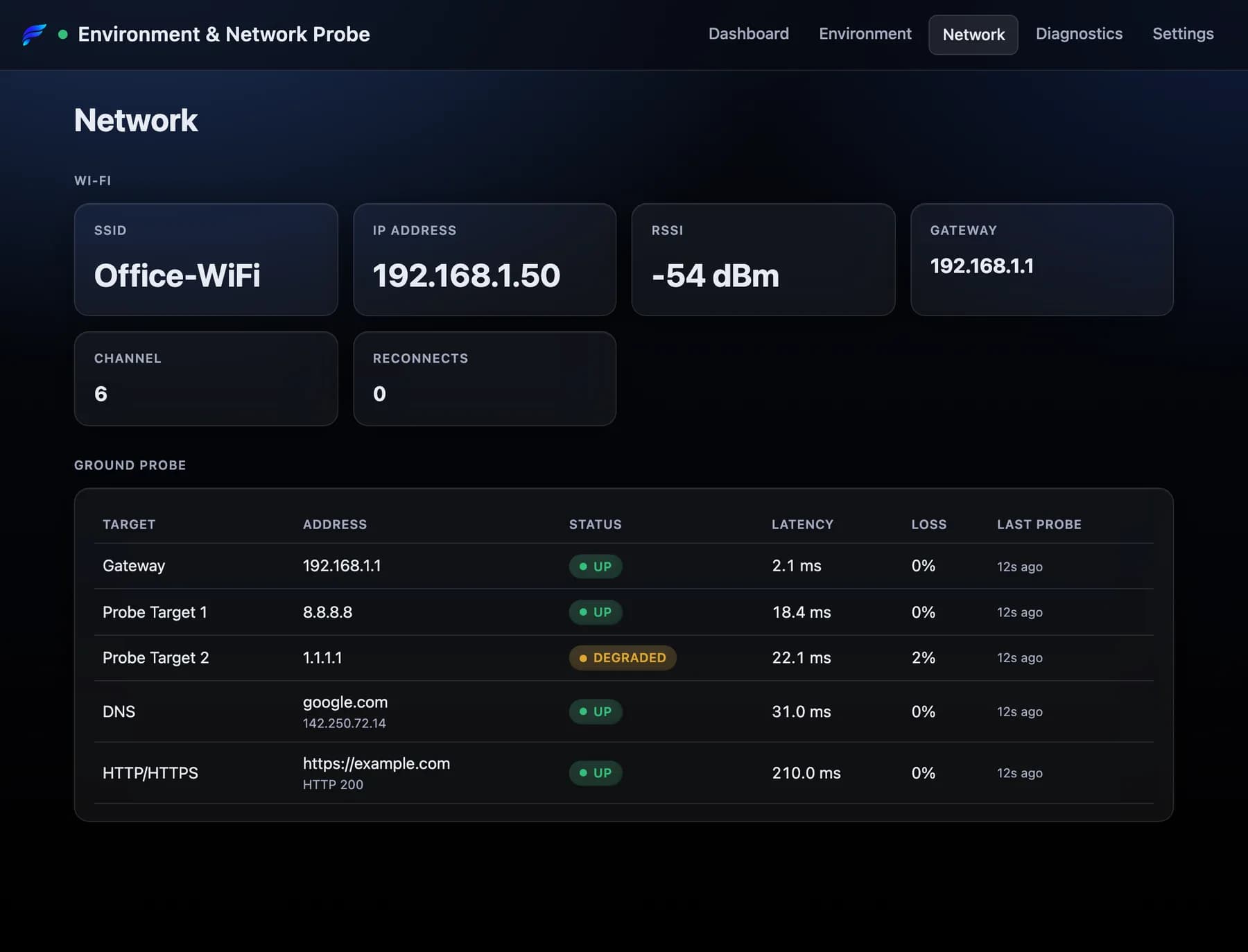
Its own dashboard, its own memory
Open the box's address in any browser. There is no app to install and no account to create before you can see the room.
Works with no internet at all
The dashboard, the API and the sensor keep running on a LAN with no way out. No CDN, no web fonts, no cloud scripts.
History that can't fill the disk
One reading a minute into a fixed-size ring — a week on ESP32, 48 hours on ESP8266. Ranges it hasn't kept are never drawn.
A REST API for everything
Status, environment, network and history as JSON, so your own scripts can read the box without the dashboard.
Open to look, locked to change
Anyone on the network can read it. Settings, firmware and reset need the password the box generated on first boot.
From one room to your whole estate
Connect the box to GEN2 and every room becomes a monitor beside your servers and websites — charted, alerted on, and kept in one place. Leave it unconnected and it stays entirely local.
Direct
Straight to GEN2
Add your GEN2 organisation and licence key in Settings. The first reading creates the monitor for you, named after the box.
Through Firefly HUB
Buffered through an outage
Point the box at a Firefly HUB on the same network. The HUB holds readings while the internet is down and forwards them when it comes back.
Readings to GEN2 travel over HTTPS, at most once a minute by default — anywhere from 30 seconds to an hour.
A failed sensor is reported to GEN2 as down, never as its last good number — so a broken sensor raises an alert instead of quietly repeating a stale reading.
Temperature and humidity are what the box sends today. Its network probe results stay on its own dashboard.
See GEN2 Network Monitoring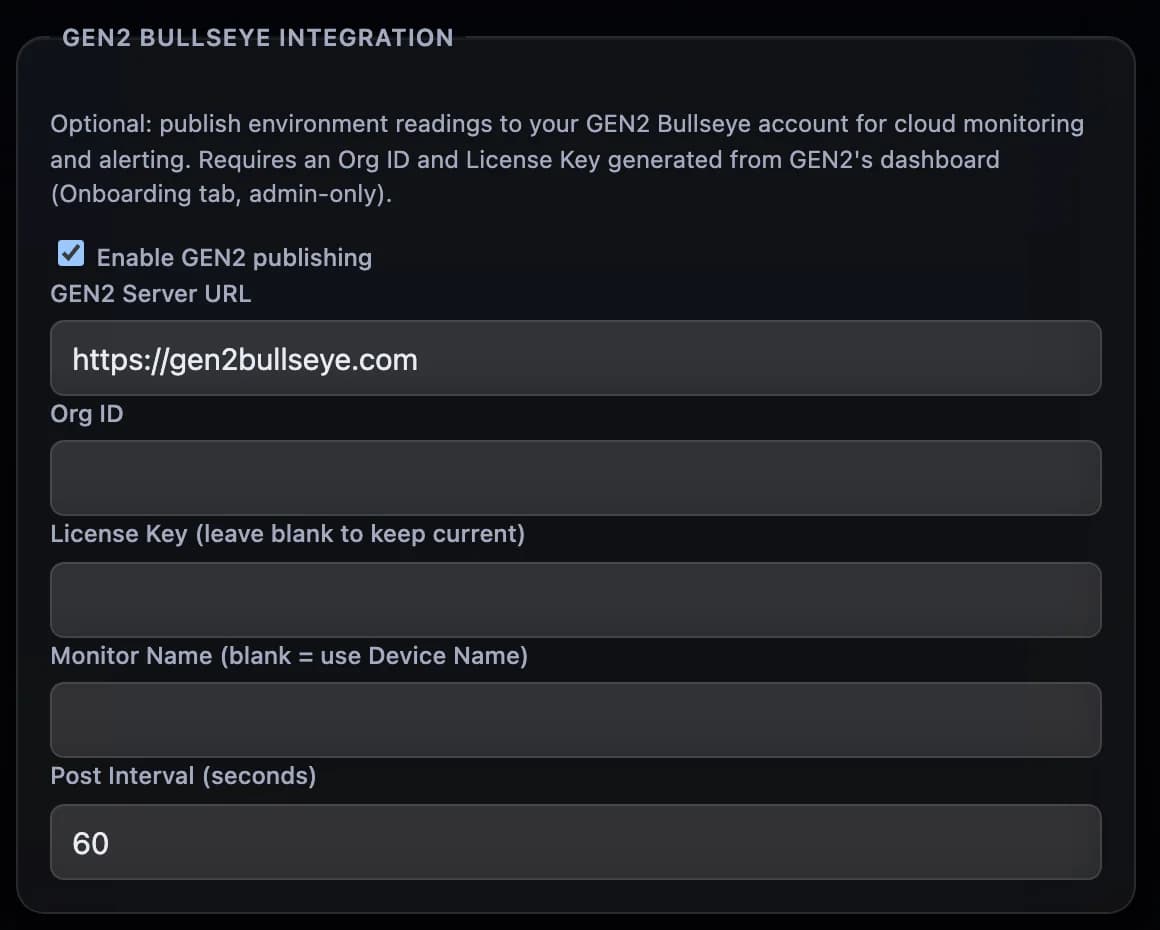
Running in three steps, with nothing to install
01
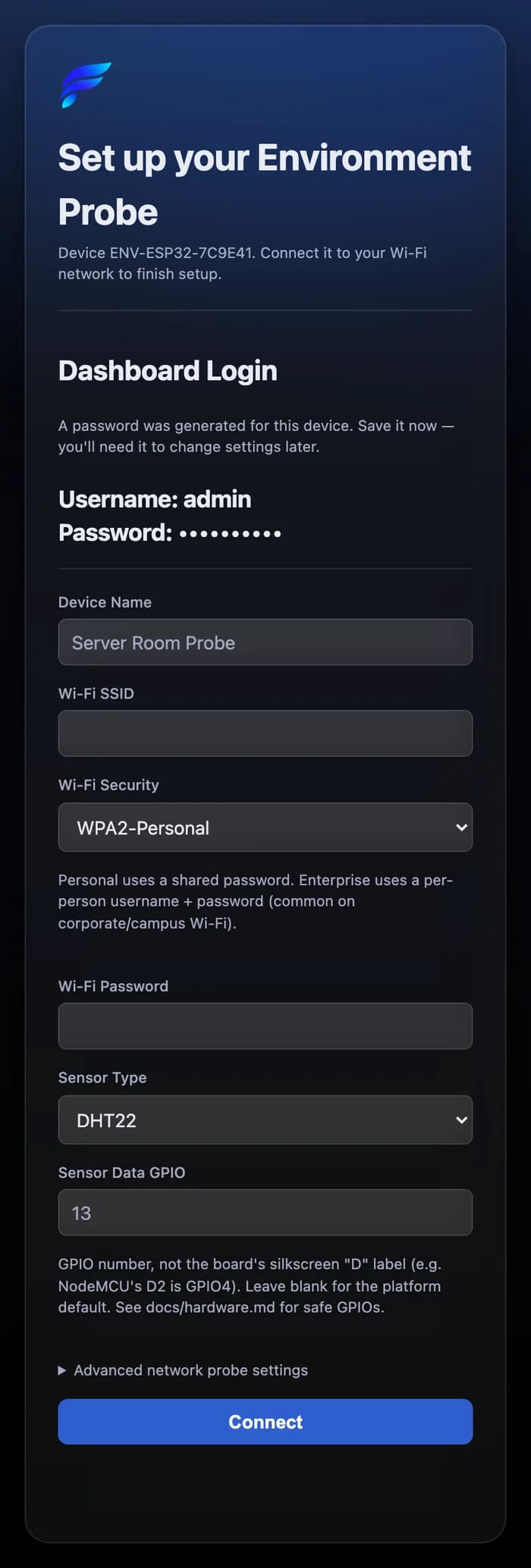
Power it on
With no network configured, the box opens its own setup Wi-Fi network.
02
Join from your phone
A setup page opens — or browse to 192.168.4.1. Note the dashboard password it shows: it's generated for this box and shown only here.
03
Open the dashboard
Enter your Wi-Fi and a name. The box joins your network and answers at name.local, or at its address.
Updates you choose
It can check for new firmware and tell you, but it never installs on its own. Downloads must match a published SHA-256 checksum.
A bad update undoes itself
New firmware has to stay on Wi-Fi for 15 seconds after rebooting. On ESP32, if it can't, the box returns to the previous version.
Nothing to babysit
It reconnects after Wi-Fi drops, keeps its clock moving across reboots, and never lets history outgrow its space.
Specifications
- Controller
- ESP32 (DevKit V1, WROOM-32) or ESP8266 (NodeMCU, Wemos D1 Mini)
- Sensor
- DHT11 or DHT22, selectable in Settings
- Wi-Fi
- 2.4 GHz · WPA2-Personal or WPA2-Enterprise (PEAP/MSCHAPv2)
- Network probes
- Gateway, two IP targets, DNS, HTTP/HTTPS
- Sensor interval
- 10 s by default (2 s – 1 h)
- Probe interval
- 30 s by default (5 s – 1 h)
- History
- One reading a minute · 7 days on ESP32, 48 h on ESP8266
- Dashboard
- Served from the device · no external dependencies
- Local API
- REST/JSON — status, environment, network, history
- GEN2 telemetry
- HTTPS · every 60 s by default (30 s – 1 h)
- Firefly HUB path
- Optional · LAN ingest with a per-device token
- Updates
- Upload, or opt-in release check · SHA-256 verified
- Discovery
- mDNS name.local, or the DHCP address
- Reset
- Hold the button 5 s, or from Settings
Put one where the equipment lives.
Hear about the room before it fails.
Tell us how many rooms and where. We'll come back with units, setup, and — if you want it — a GEN2 organisation to report into.